
RODE RODECaster Video S All-In-One Audio/Video Console
RODE RODECaster Video S All-In-One Audio/Video Console
STORE
54 Orchard Street
Ground Floor
New York NY 10002
United States

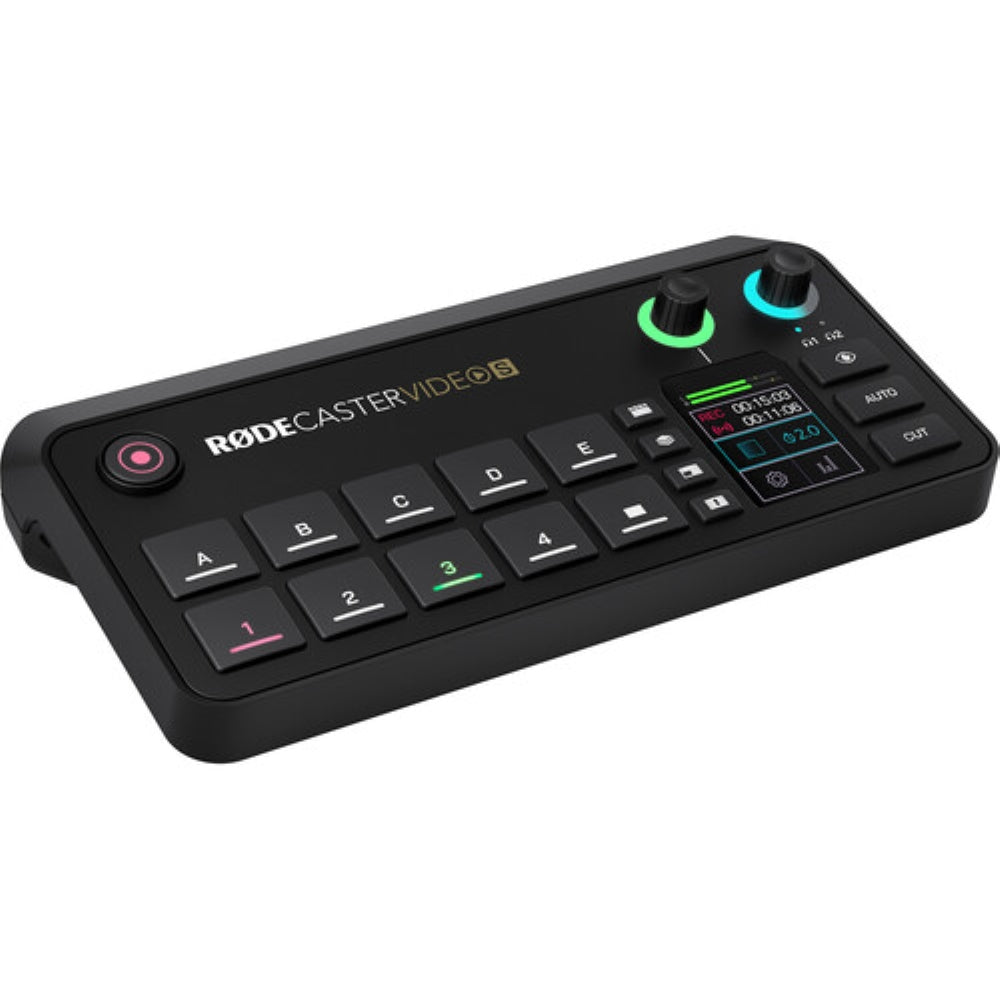
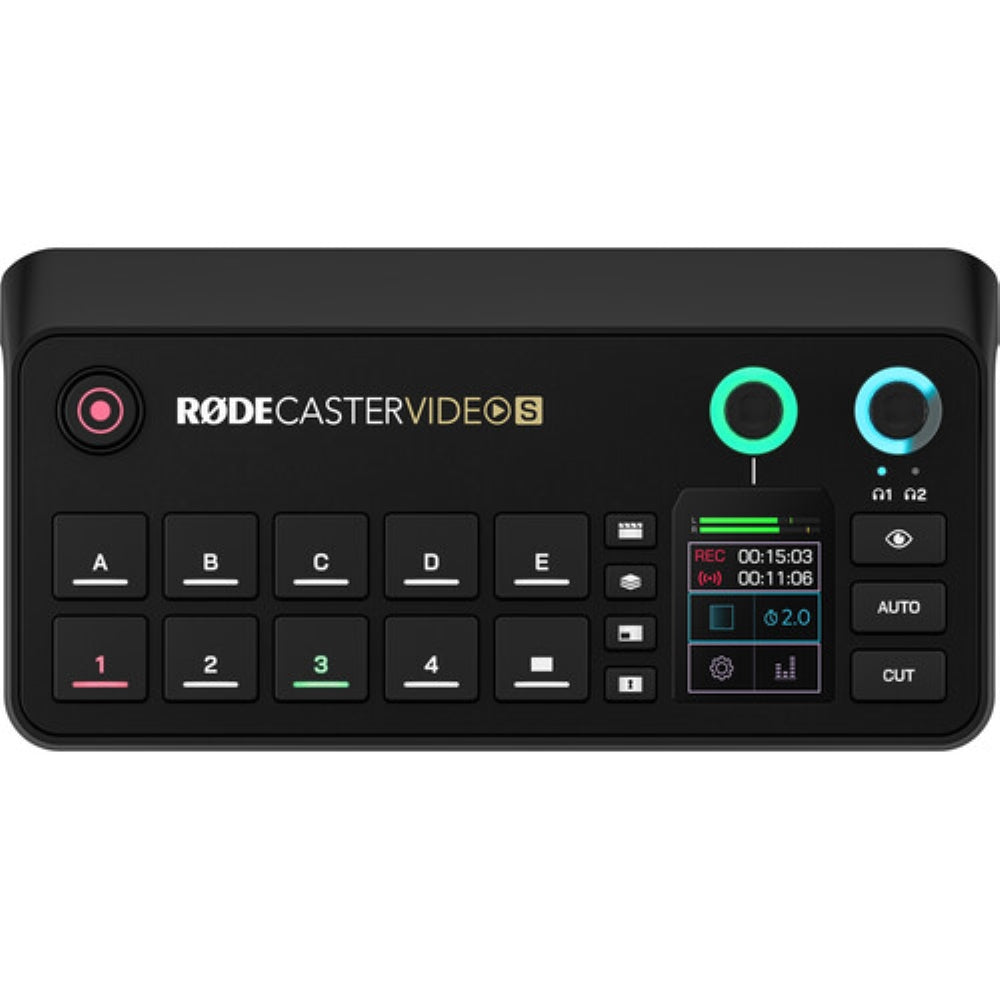
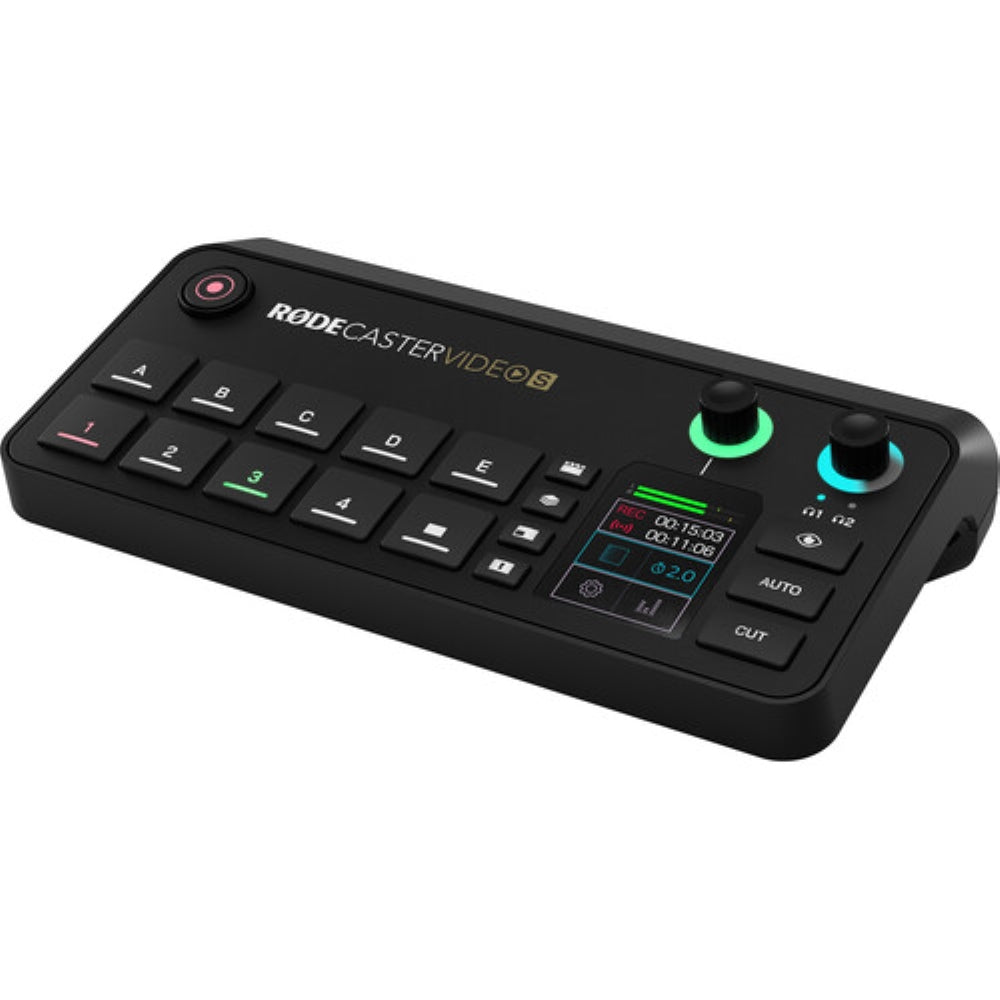
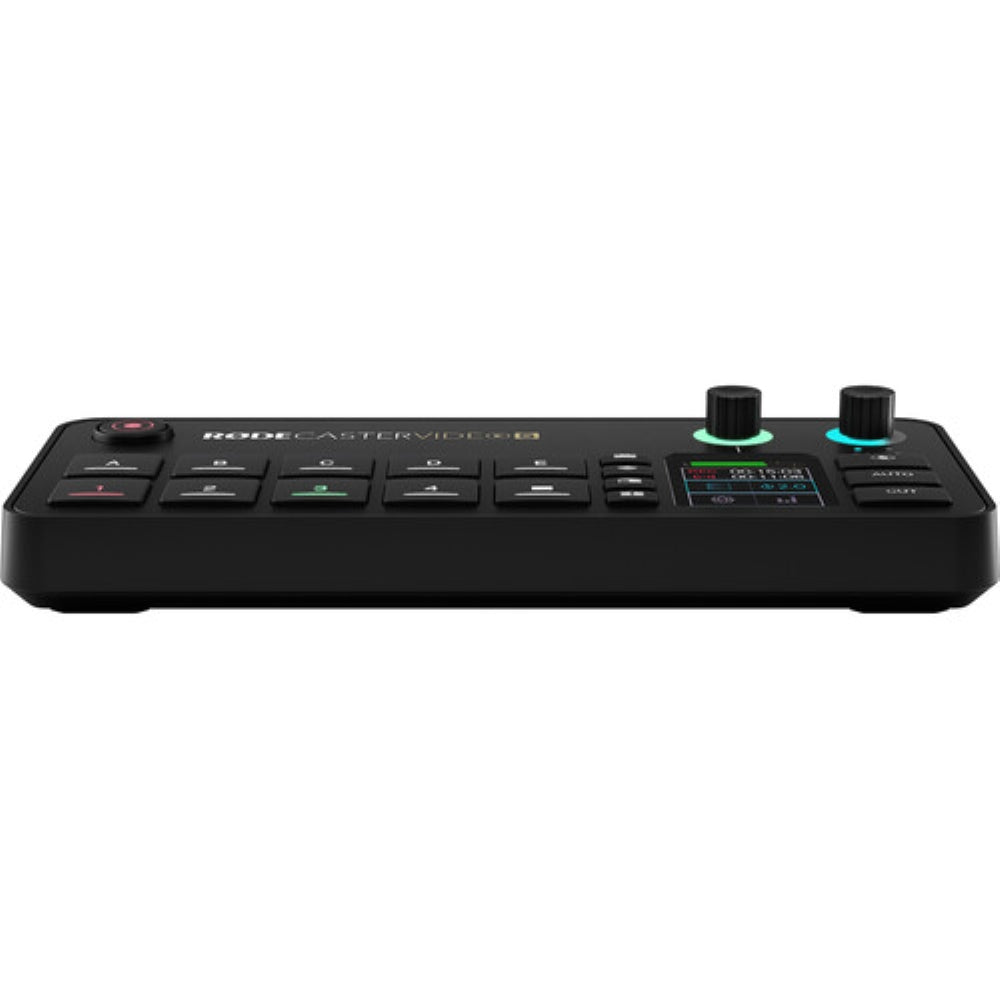
Crafted as a more efficient iteration of its predecessor, the RODECaster Video, the RODECaster Video S All-In-One Audio/Video Console delivers the same robust video switching and recording capabilities, alongside professional-grade audio management for podcasters, streamers, and individual creators. This console provides seamless control over both video and audio inputs through its built-in controls, 2" touchscreen interface, and rotary encoder. It features a diverse range of connectivity options, including HDMI and USB-C ports, NDI inputs, as well as both wired and wireless network connections. Integrate the RODECaster Video S into your existing RODE audio ecosystem via the USB-C audio ports or utilize RODE Central software for enhanced device configuration.
Video Interface
- The RODECaster Video S is equipped with nine mix-effect layers that can display simultaneously in both preview and program views. Two downstream keyers manage overlays and logos, while two chroma-keyers switch between various backgrounds. Additionally, one luma keyer and two media players are capable of playing MP4 videos, PNG/JPG images, or WAV audio from a USB SSD or flash drive.
- Multiview functionality enables you to visualize the program and preview, all live inputs along with scene and media thumbnails, the audio mixer and channel status, as well as recording, network, and storage status, including runtime, date, and time information. The nondestructive setup allows for live adjustments or configurations as a saved scene without disrupting the flow of your production.
- You can switch between four 1080p60 video sources (three HDMI and one USB-C) and create intricate scenes with multiple layers of video, media, and graphics. These scenes can be saved and recalled at the touch of a button.
- Furthermore, you have the capability to input up to four NDI streams, such as PTZ cameras, for streaming output.
- The single HDMI output can be configured to connect displays and view preview, program, and multiview feeds. The program feed allows you to see what is being streamed or recorded, while the preview feed lets you view inputs, scenes, graphics, or media sources prior to going live.
USB Microphone and Webcam Support
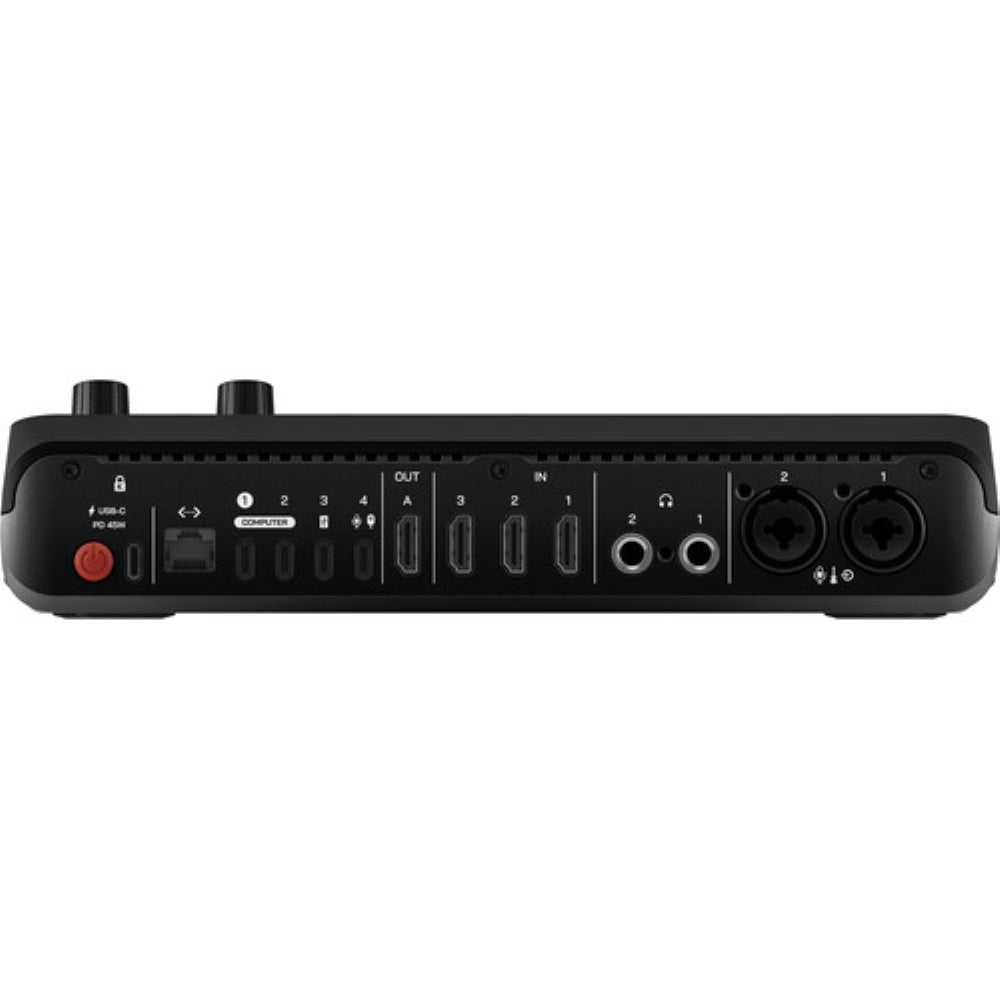
The USB 4 port on the RODECaster is compatible with certain RODE USB microphones, including the RODECaster Pro II and Duo, in addition to a suitable webcam for direct video input.
Audio Sources
The console features two studio-grade combo XLR-1/4" jacks that are outfitted with low-noise, high-gain Revolution Preamps, ensuring exceptional audio capture from XLR microphones and instruments. Digital USB-C ports are available for connecting RODE USB microphones, the RODECaster Pro II, or Duo Audio Production Studios. Additional USB-C ports facilitate 2-in / 2-out multichannel outputs, mix-minus, and MFi protocols. Internal wireless receivers enable the connection of RODE series IV wireless microphones to the console, including the Wireless GO II and Wireless PRO. The RODECaster Video S is enhanced with Aphex VoxLab audio processing, which provides EQ, compressor, noise gate, high-pass filter, de-esser, Aural Exciter, Big Bottom, and Compellor effects for each channel. Integrated preamps deliver up to 75 dB input gain and -131.5 dBV equivalent input noise. Users can mix and process audio directly on the device using the touchscreen and rotary encoder, or through the software mixer available in RODE Central.
Intuitive Controls
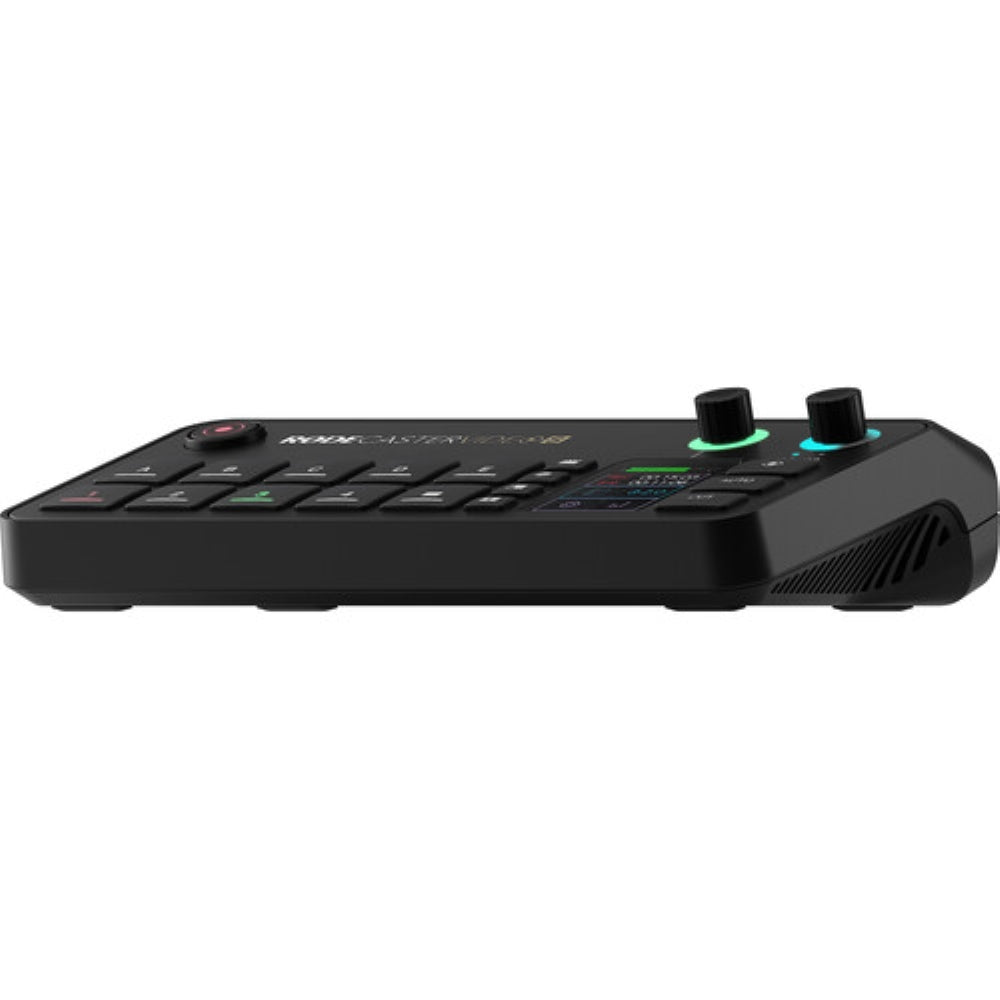
- The RODECaster Video S emphasizes scene-based switching through an intuitive control layout. This design enables users to swiftly access the necessary tools for creating dynamic content without the need to navigate through complex settings. The device's front panel features a diverse array of controls tailored to specific functionalities.
- Automatic chroma keying simplifies the process of replacing backgrounds with media or live video inputs. Users can apply transparency to incorporate the input into scenes or with different backgrounds. Advanced controls allow for a choice between blue and green screens.
- Media buttons facilitate the loading of video clips, images, and sounds onto a USB drive for integration into your production. Two internal video players enable seamless transitions from one to another within your scene compositions.
- Graphic buttons are designed to load images with transparency. Users can dynamically trigger graphics to transition over an input or scene.
Intelligent Auto-Switching
Intelligent auto-switching enables smooth and innovative hands-free transitions between video sources. Any audio input can be associated with any video source, facilitating intelligent level detection that automatically activates switching when your talent is speaking, thereby maintaining the flow of conversation. The algorithms for switching priorities and screen time create a natural experience, resembling the actions of a producer or technical director directing the scene.
 Intuitive Streaming and Recording
Stream up to 100 Mb/s directly using RTMP/RTMPS to major platforms such as YouTube, Twitch, and Facebook Live through an integrated Wi-Fi 6 or Ethernet connection. Real-time signal health reporting is presented via multiview. Up to four NDI sources, including PTZ cameras, can be input with a single NDI output through Ethernet streaming. The Video S is also capable of dual-cam streaming by utilizing the free RODE Capture app for iOS.
Record directly onto an external USB storage device or the internal 24GB media storage, which includes isolated (ISO) recording for enhanced flexibility in postproduction workflows. You have the option to record your program feed as an H.264/AVC MP4 file with an embedded AAC stereo mix at a resolution of up to 1080p30. Additionally, multiple audio tracks can be recorded as nine independent stereo WAV files.
RODE Central
Utilize the RODE Central companion software while connected to a computer to modify more sophisticated features of the RODECaster Video S. Create scenes using remote control, set up automatic switching based on audio inputs, mix audio, and configure streaming settings and profiles, in addition to adjusting advanced settings and customizations. The software is compatible with macOS and Windows operating systems.
Custom Scene Builder
The scene builder available in RODE Central enables you to design a fully personalized scene from the ground up. Choose a RODE preset that includes standard layouts and themes for your keying backgrounds or video borders. A live RTMP feed will refresh to display your modifications in real-time. You have the capability to save as many as five scenes and transition between them immediately with the push of a button.
 Wireless Remote Control
In scenarios where proximity to the console is not feasible, the RODECaster Video S offers full wireless remote control through the RODECaster App. This functionality enables you to change inputs, modify settings, and set up intricate scenes directly from your computer.
Mix Effects |
|
|---|---|
| Available M/E Layers | 9 M/E |
| Effect Types | 2x Graphic, Chroma Key |
| Graphics Memory | 24 GB |
| Downstream Keys | 2x Overlay |
| Generators | 1x Pattern |
| Audio Mixing | 9-Channel Mixing |
Processing |
|
|---|---|
| Switching Type | Pushbutton, Software |
| Processing Resolution | 1080p at 60 |
| Color Processing | 8-Bit, 10-Bit, 12-Bit 4:4:4 RGB 8-Bit, 10-Bit, 12-Bit 4:4:4 YUV 8-Bit, 10-Bit, 12-Bit 4:2:2 YUV 8-Bit 4:2:0 YUV |
| Audio Processing | 48 kHz / 32-Bit |
Input |
|
|---|---|
| Number of Video Input Sources | 4 |
| Video Inputs | 3x HDMI (1.4b) Female 1x USB-C (UVC) Female |
| Input Video Format | HDMI / USB-C 1080p at 23.98/24/25/29.97/30/50/59.94/60 fps HDMI 1080i at 25/29.97/30 fps |
| Audio Inputs | 2x Combo XLR-1/4" TRS Mic/Line Female 2x USB-C Female |
| Input Audio Format | Analog: 48 kHz / 24-Bit |
| Embedded Audio Input | HDMI USB-C |
Output |
|
|---|---|
| Video Output Channels | 1 |
| Video Outputs | 1x HDMI (1.4b) Female (Program) |
| Output Video Format | HDMI / RJ45 1080p at 24/25/30/50/60 fps |
| Audio Outputs | 2x 1/4" TRS Analog Female |
| Output Audio Format | Analog |
| Embedded Audio Output | HDMI RJ45 |
| Multiview Output | 4-Way Multiview via HDMI |
| Monitor Output | 1x HDMI |
Connectivity |
|
|---|---|
| Other I/O | 1x RJ45 Control, LAN, NDI Input/Output |
| Digital Audio Decoding | LPCM |
IP Encoding/Decoding |
|
|---|---|
| IP Video | H.264/H.265: 1920 x 1080 at 23.98p, 24p, 25p, 29.97p, 30p, 60p Encoding |
| IP Audio | AAC-LC: Encoding |
| Transport Protocols | NDI/HX2, NDI/HX3, RTMP, RTMPS |
| Simultaneous Streams | 1 Streams |
| Compatible Services | Facebook Live, Twitch, YouTube Live |
Internal Recording |
|
|---|---|
| Recording Media | 1x USB-A 2.0 (External Drives) |
| Internal Storage | 24 GB |
| Recording Modes | 1920 x 1080p at 30 fps (MP4 via H.264/AVC) |
Display |
|
|---|---|
| Display Size | 2" |
Hardware |
|
|---|---|
| OS Compatibility | macOS 11 or Later / Windows 10 or Later / Windows 11 or Later |
| Processor | Not Specified by Manufacturer |
| Wireless | Wi-Fi 6 (802.11ax) / Bluetooth 5.3 *Built-In |
Power |
|
|---|---|
| Power I/O | 1x USB-C (20 VDC at 2.2 A) Input |
General |
|
|---|---|
| Dimensions | 10 x 5.1 x 2.4" / 253.5 x 128.4 x 60.2 mm |
| Weight | 1.9 lb / 875 g |


